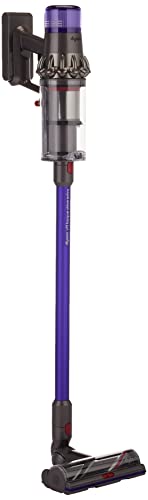
A cordless vacuum battery that won't hold charge transforms a convenient cleaning tool into an essentially useless device. The freedom from cords that makes cordless vacuums appealing depends entirely on functional battery capacity. When batteries degrade to the point of inadequate runtime, that convenience disappears, leaving owners with equipment that technically works but cannot complete meaningful cleaning tasks before power depletion.

Battery capacity degradation happens to all rechargeable batteries over time. The chemistry that stores and releases electrical energy breaks down through repeated charge cycles, storage conditions, temperature exposure, and age. Understanding what causes battery degradation helps identify whether problems are normal end-of-life decline or potentially correctable issues. It also helps establish realistic expectations for battery lifespan and informs decisions about battery replacement versus vacuum replacement.

This guide covers diagnosis and response to cordless vacuum battery problems, explaining common causes, potential solutions, and decision factors for repair versus replacement.
Key Takeaways
- Battery degradation is normal over time: All rechargeable batteries lose capacity with age and use
- Verify charger function before assuming battery failure: Charger problems prevent charging regardless of battery condition
- Replacement batteries extend vacuum life: Many vacuums accept battery replacement at lower cost than new vacuum
- Usage patterns affect battery lifespan: Proper charging practices preserve capacity longer
- Extreme temperatures accelerate degradation: Temperature exposure during charging, use, and storage affects battery health
Table of Contents
Understanding Battery Degradation
Battery capacity loss is a normal process affecting all rechargeable batteries. Understanding this process helps set appropriate expectations and identify unusual problems.
Lithium-ion batteries, common in modern cordless vacuums, experience gradual capacity loss with each charge cycle. The electrochemical processes that store and release energy cause progressive degradation that cannot be reversed. This degradation happens regardless of care, though proper use can slow the rate.
Expected lifespan for lithium-ion batteries typically ranges from 300-500 charge cycles before significant capacity loss. Actual lifespan varies with battery quality, usage patterns, charging practices, and environmental conditions.
Capacity loss manifests as reduced runtime. A battery that originally provided 20 minutes of operation may provide only 10 minutes after significant degradation. The decline is usually gradual, becoming noticeable when runtime becomes inadequate for intended use.
Sudden capacity loss may indicate problems beyond normal degradation. Batteries that suddenly lose significant capacity may have cell failures, circuit problems, or damage requiring different response than normal gradual decline.
Charger Verification
Before concluding battery failure, verify that the charger is actually charging the battery. Charger problems prevent charging regardless of battery condition.
Check charger indicator lights during charging. Most chargers provide visual indication of charging status. Understand what your charger's indicators mean; consult manual if uncertain.
Verify charger is receiving power. Unresponsive charger may simply be unplugged or connected to dead outlet. Confirm power delivery to charger before investigating further.
Test charger output if possible. Multimeter testing can verify whether charger is producing expected voltage. Charger producing no output or incorrect voltage won't charge batteries regardless of battery condition.
Try alternative charger if available. Some vacuums work with universal chargers or replacement chargers. Testing with known-good charger isolates whether charger or battery is problematic.
Charger replacement is typically much cheaper than vacuum replacement. If charger failure is confirmed, replacement charger costs a fraction of new vacuum cost for most models.
Battery Contact Issues
Connection problems between battery and vacuum can prevent operation despite adequate battery charge.
Inspect battery contacts for corrosion, debris, or damage. Dirty contacts may not conduct adequately despite physical connection. Clean contacts with appropriate cleaner and dry cloth.
Check contact alignment when battery is installed. Misaligned contacts may not make connection properly. Verify contacts engage fully when battery seats.
Test battery seating security. Loose batteries may lose connection during use, appearing as charge problems when connection is actually the issue.
Look for damage to contacts from drops or impacts. Bent or damaged contact points may not engage properly. Straightening bent contacts may restore connection.
Verify charging contacts similarly. Battery may charge poorly if charging contacts have similar issues preventing adequate charging connection.
Usage Pattern Assessment
How batteries have been used and charged affects their current condition. Assessment may reveal practices that accelerated degradation.
Deep discharge cycling stresses lithium-ion batteries. Repeatedly running batteries to complete depletion before recharging accelerates capacity loss. Charging before complete depletion, when convenient, extends battery life.
Extended storage at extreme charge levels accelerates degradation. Batteries stored fully charged or fully depleted for long periods lose capacity faster than batteries stored at moderate charge levels.
Temperature extremes during charging, use, or storage damage battery chemistry. High heat is particularly harmful; leaving vacuums in hot vehicles can significantly shorten battery life.
Continuous charger connection after full charge may stress batteries in some charging systems. Removing from charger after charging completes, or using chargers that truly cease charging when complete, may preserve capacity better.
Understanding usage history helps predict whether battery replacement will perform differently. Continuing same practices with new battery produces similar degradation timeline.
Battery Health Assessment
Evaluating battery condition helps determine whether replacement makes sense or whether vacuum replacement should be considered instead.
Compare current runtime to original specifications. Batteries delivering less than half original runtime have experienced significant degradation warranting consideration of replacement.
Note charging behavior. Batteries that charge unusually quickly may have lost capacity; batteries that never indicate full charge may have charging circuit or cell problems.
Check for physical damage. Swelling, unusual heat during charging, or physical damage indicates battery problems beyond normal degradation.
Consider battery age. Batteries several years old are likely near end of useful life regardless of usage patterns. Age alone predicts degradation in lithium-ion chemistry.
Evaluate overall vacuum condition. If vacuum has other problems, battery replacement may not be worthwhile. If vacuum otherwise functions well, battery replacement extends useful life.
Battery Replacement Options
Many cordless vacuums accept replacement batteries, extending vacuum life at lower cost than full replacement.
Check manufacturer for replacement battery availability. Original equipment batteries ensure compatibility; manufacturers may offer replacement batteries for popular models.
Third-party replacement batteries exist for many models. Aftermarket batteries often cost less than OEM; quality varies significantly between suppliers. Research supplier reputation before purchasing.
Verify compatibility before purchasing any replacement. Battery specifications must match vacuum requirements. Incorrect batteries may not fit, may not provide adequate power, or may damage the vacuum.
Compare replacement battery cost to new vacuum cost. If replacement battery approaches new vacuum cost, new vacuum with warranty may represent better value.
Installation requirements vary. Some batteries simply swap; others require more involved installation. Understand what installation requires before purchasing.
Maximizing New Battery Life
If replacing batteries or acquiring new vacuum, proper practices maximize new battery lifespan.
Avoid deep discharge when practical. Charge before complete depletion rather than running to empty. This practice preserves capacity better than complete discharge cycling.
Don't leave on charger indefinitely after charging completes. Remove from charger when full; store at moderate charge level between uses. This prevents trickle charge stress.
Store at moderate temperatures. Room temperature storage preserves battery health; extreme heat or cold accelerates degradation. Don't store vacuums in hot vehicles or unheated spaces in winter.
Charge at moderate temperatures. Avoid charging immediately after use while battery is warm; avoid charging in very cold conditions. Moderate temperature charging optimizes battery health.
Use regularly rather than extended storage. Periodic use maintains battery activity better than extended dormancy. If storage is necessary, maintain moderate charge level.
When to Replace the Vacuum
Sometimes vacuum replacement makes more sense than battery replacement. Several factors inform this decision.
Battery replacement cost approaching vacuum cost tips decision toward new vacuum with warranty and fresh battery.
Vacuum performance problems beyond battery issues suggest replacement. If motor, suction, or other functions have degraded, fixing battery doesn't address overall decline.
Unavailable replacement batteries force vacuum replacement decision. Some models lack replacement battery options; original batteries at end of life mean vacuum end of life.
Age and condition of other components matter. Old vacuums with worn motors, damaged housings, or degraded seals may not justify battery investment.
Updated vacuum models may offer improved performance. Technology improvements in newer models may provide enough capability increase to justify replacement over repair.
Related Articles
Explore more car vacuum guides and reviews:
- How Long Do Car Vacuum Batteries Last?
- Best Cordless Car Vacuums Under $100
- Corded vs Cordless Car Vacuums: Which Type is Right for You?
- How to Vacuum Car Seats Properly
Frequently Asked Questions
How long should a cordless vacuum battery last?
Lithium-ion batteries typically provide useful service for 2-4 years or 300-500 charge cycles, whichever comes first. Actual lifespan varies with usage patterns, charging practices, and environmental conditions. Batteries properly maintained may exceed these ranges; improperly treated batteries may fail sooner.
Can I revive a dead cordless vacuum battery?
Deeply discharged lithium-ion batteries sometimes recover with proper slow charging. However, batteries that have experienced complete failure or significant cell damage cannot be revived. If slow charging doesn't restore function, replacement is necessary.
Why does my vacuum die so quickly after full charge?
Rapid power depletion after showing full charge indicates significant capacity loss. The battery charges to whatever its degraded capacity allows; that capacity no longer provides meaningful runtime. Replacement is typically the only solution.
Is it worth replacing a cordless vacuum battery?
Worth depends on replacement cost versus vacuum value, battery availability, and vacuum condition. If replacement battery is affordable, vacuum otherwise functions well, and compatible battery is available, replacement extends useful vacuum life economically.
Can I use a higher capacity replacement battery?
If physically compatible and voltage-matched, higher capacity batteries may provide extended runtime. Verify compatibility before assuming any battery fits. Higher capacity doesn't mean different voltage; voltage must match original specifications.
Why won't my vacuum charge at all?
Complete charging failure may indicate charger problems, severe battery failure, or connection issues. Verify charger function with testing or alternative charger. Check connections. Batteries with complete cell failure won't accept charge regardless of charger condition.
How do I know if my charger is working?
Working chargers show appropriate indicator lights during charging, produce expected voltage when tested, and successfully charge batteries within reasonable time. Chargers showing no indicators, producing no output, or failing to advance charge level over time may be faulty.
Should I run my cordless vacuum until empty before recharging?
No. Lithium-ion batteries don't have memory effect requiring complete discharge. Charging before depletion, when convenient, actually preserves battery capacity better than deep discharge cycling.
Does cold weather affect my cordless vacuum battery?
Yes. Cold temperatures temporarily reduce available capacity and permanently damage batteries if charged or stored in extreme cold. Keep vacuums at moderate temperatures; charge at room temperature for best results.
Can I replace the battery myself?
Many cordless vacuums have user-replaceable batteries requiring no special tools or skills. Others have integrated batteries requiring more involved replacement. Check your specific model for replacement requirements before purchasing.