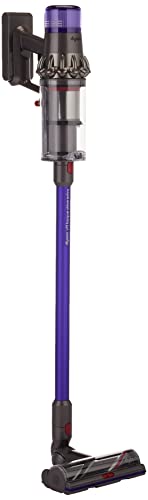
A vacuum that won't turn on creates immediate frustration, especially when cleaning is needed and equipment refuses to cooperate. The complete lack of response when pressing the power switch transforms a useful tool into a frustrating obstacle. Before assuming the vacuum has failed permanently, systematic troubleshooting can identify common causes that often prove easily remedied without repair expense or equipment replacement.

Most "won't turn on" situations trace to power supply issues rather than vacuum failure. Dead batteries in cordless models, blown fuses in 12V vacuums, tripped circuit breakers, and simple connection problems account for the majority of non-starting complaints. Working through power supply verification before diagnosing equipment failure often reveals simple solutions that get vacuums running again quickly.

This guide provides systematic troubleshooting for vacuums that won't turn on, organized by vacuum type and common causes. Following this progression identifies solutions efficiently, resolving most issues without professional service.
Key Takeaways
- Check power supply first: Most non-starting issues involve power delivery, not vacuum failure
- Verify connections and fuses: Simple connection and fuse issues cause many non-start problems
- Battery and charging issues affect cordless models: Dead or damaged batteries prevent operation
- Safety interlocks prevent operation with improper assembly: Verify all components are properly seated
- Motor failure is less common than power issues: Eliminate power factors before assuming equipment failure
Table of Contents
Corded Vacuum Power Verification
Corded vacuums require functional power supply from outlet through cord to vacuum. Systematic verification identifies which link in this chain is problematic.
Verify outlet functionality with another device. Outlets can fail; testing confirms whether power is available at the outlet. If another device works in the same outlet, the outlet is functional; if not, address outlet issues before vacuum troubleshooting.
Inspect power cord for visible damage. Cuts, exposed wiring, or damaged plug prongs can prevent power delivery. Cord damage near plug and body connection points is especially common due to stress concentration at these locations.
Test cord continuity if damage isn't visible. Internal conductor breaks can occur without external damage visibility. Using a multimeter or testing with a lamp/device through the cord can reveal internal failures.
Check any in-line fuses in the power path. Some vacuums include fuses that blow under overload conditions. Locate and test any fuses; replace blown fuses with appropriate ratings.
Verify power switch function. Switches can fail, preventing motor activation despite power availability. Listen for click; if switch feels different or makes no sound, switch failure may be the cause.
12V Vacuum Troubleshooting
12V car vacuums depend on vehicle electrical systems, adding vehicle-specific factors to troubleshooting.
Verify vehicle accessory power is active. Many vehicles require ignition position for cigarette lighter/auxiliary power. Turn key to accessory or on position; some vehicles only power outlets with engine running.
Test outlet with another device. Phone charger or other 12V device confirms outlet function. If other devices work but vacuum doesn't, the issue is vacuum-specific rather than outlet-related.
Check vehicle fuse for the power outlet. Outlets are fuse-protected; blown fuses disable outlets completely. Locate the appropriate fuse using owner's manual; inspect and replace if blown.
Inspect vacuum plug condition. Damaged or corroded plug contacts may not make connection in outlets. Clean contacts; straighten bent prongs; replace plugs showing significant damage.
Verify plug seats fully in outlet. Loose connection may provide insufficient contact for power delivery. Some outlets grip more loosely than others; ensure full insertion and stable seating.
Cordless Vacuum Battery Issues
Cordless vacuums depend entirely on battery charge and condition. Battery-related issues account for most cordless non-starting situations.
Verify battery charge status. Most cordless vacuums have charge indicators; check indicator state. Completely discharged batteries prevent operation; charge before troubleshooting further.
Confirm charger function. Test charger with multimeter if available; verify indicator lights respond as expected when vacuum is docked. Charger failure prevents battery charging despite appearing to function.
Check battery seating. Batteries must seat properly for both charging and operation. Remove and reseat battery; ensure locks or latches engage fully.
Inspect battery contacts for corrosion or debris. Dirty contacts may prevent power flow despite charge. Clean contacts with appropriate cleaner; avoid conductive debris in contact areas.
Consider battery age and condition. Batteries have finite lifespan; old batteries may not hold charge adequately for operation. Replacement may be necessary for batteries beyond useful life.
Safety Interlock Check
Many vacuums include safety interlocks that prevent operation when components are improperly assembled or positioned.
Verify container/canister proper seating. Interlocks may prevent operation if containers aren't fully locked in place. Remove and reseat; ensure latches engage completely.
Check filter installation. Some vacuums won't operate without properly installed filters. Verify filter presence and correct positioning.
Confirm all access panels are closed. Service panels, filter covers, and similar access points may have interlocks preventing operation when open.
Review any recent disassembly for overlooked components. If vacuum stopped working after cleaning or maintenance, verify all components were reinstalled correctly.
Consult manual for model-specific interlock information. Different models have different interlock systems; model-specific guidance helps identify what your vacuum requires for operation.
Thermal Protection Reset
Many vacuums include thermal protection that shuts down operation if motors overheat. These require reset after triggering.
Allow vacuum to cool completely. Thermal protection triggers when motors overheat; allowing cooling typically resets protection automatically. Wait 30-60 minutes for complete cooling.
Address the condition that caused overheating. Blocked airflow, overfilled containers, or extended operation may have triggered protection. Clearing restrictions and reducing fill level prevents repeat triggering.
Locate manual reset button if equipped. Some vacuums have physical reset buttons for thermal protection. Consult manual for reset button location and procedure.
Test after cooling and reset. If vacuum operates after cooling, thermal protection was the cause. If it still won't start, other issues exist.
Recurring thermal shutdown indicates ongoing problems. Frequent thermal triggering suggests airflow restriction, motor issues, or use patterns exceeding vacuum capability. Address underlying cause to prevent continued thermal events.
Switch and Control Issues
Power switches and controls can fail, preventing operation despite functional power supply and motors.
Test switch function by feel and sound. Working switches typically click when pressed; switches that feel soft, don't click, or feel different than previously may have failed.
Variable speed controls can fail in ways that prevent any operation. If your vacuum has speed adjustment, try different speed settings. Failure at one setting doesn't necessarily prevent operation at others.
Check any trigger-type switches common in handheld models. Triggers can fail internally despite external appearance. Internal spring or contact failure prevents activation.
Wiring connections to switches can loosen or fail. If comfortable with electrical work, checking connections to switches may reveal loose wires preventing current flow.
Switch replacement may be possible for some models. Replacement switches for popular models are sometimes available; evaluate replacement feasibility against other options.
Motor Failure Indicators
When power supply and controls are verified functional, motor failure becomes a possibility to consider.
Listen for any sounds when attempting to start. Brief hum or clicking followed by nothing may indicate motor trying but failing to run. Complete silence more likely indicates power supply issues.
Smell for burning odor indicating motor damage. Burning smell during previous use or upon attempted start suggests motor or electrical damage.
Feel for vibration without rotation. Motor can engage electrically without spinning properly if bearings seized or other mechanical failure occurred.
Consider motor age and usage history. Heavily used motors eventually fail; age and usage inform expectations about motor condition.
Motor repair or replacement may exceed vacuum value. Evaluate repair costs against replacement costs; consumer-grade vacuums often aren't economically repairable for motor failure.
Electrical Safety Considerations
When troubleshooting electrical equipment, safety considerations prevent injury and additional damage.
Unplug or remove batteries before internal inspection. Eliminating power prevents shock hazard during troubleshooting. Never probe powered equipment.
Don't attempt repairs beyond your competence. Electrical repairs require appropriate knowledge and tools. Improper repairs create safety hazards.
Water damage creates special hazards. If vacuum was exposed to water, professional inspection may be warranted before operation attempts. Water-damaged electrical equipment can be dangerous.
Damaged cords should be replaced, not repaired. Cord repairs often prove inadequate and unsafe. Proper replacement ensures safe operation.
When in doubt, consult professionals. Service centers can diagnose safely what may be unclear from external inspection.
Related Articles
Explore more car vacuum guides and reviews:
- Best Cordless Car Vacuums Under $100
- Corded vs Cordless Car Vacuums: Which Type is Right for You?
- ThisWorx Car Vacuum Review
- How to Vacuum Car Seats Properly
Frequently Asked Questions
Why won't my cordless vacuum turn on even after charging?
Possible causes include battery failure despite charging, charger malfunction that didn't actually charge the battery, safety interlock preventing operation, or internal failure. Verify charger function; check battery seating and contacts; review interlock requirements. Battery replacement may be necessary for aged batteries.
My 12V car vacuum was working but now won't turn on. What happened?
Most likely the vehicle fuse blew, the outlet stopped working, or the vacuum plug has connection issues. Check fuse first; test outlet with another device; inspect plug contacts. These common issues cause most 12V vacuum failures.
Can a vacuum be repaired if it won't turn on?
Depends on cause. Power supply issues, switch problems, and some component failures are repairable. Motor failure repair often costs more than replacement. Diagnose cause before deciding; simple issues may be worth fixing even when motor failure isn't.
How do I know if my vacuum motor is dead?
After verifying power supply is functional, signs of motor failure include complete silence when switch is pressed, burning smell, or sound without actual motor rotation. Previous overheating episodes or burning smells during operation suggest motor stress that may have caused failure.
Why does my vacuum turn off by itself and won't restart?
Thermal protection shutdown from overheating is the most common cause. Allow complete cooling (30-60 minutes); address airflow restrictions or overfilled containers; test again. Recurring thermal shutdown indicates problems requiring attention beyond simply waiting.
My vacuum makes clicking sounds but won't start. What does this mean?
Clicking suggests electrical components activating but motor not running. Possible causes include motor seizure, failed starting capacitor (in some motors), or incomplete power delivery. The electrical system is attempting operation but mechanical or final power delivery is failing.
Can a blown fuse cause my vacuum not to work?
Yes. Vacuums with internal fuses won't operate when fuses blow. 12V vacuums depend on vehicle fuses for power; blown vehicle fuses disable outlets completely. Check all applicable fuses during troubleshooting.
Why did my vacuum suddenly stop working?
Sudden failure suggests component failure rather than gradual wear: blown fuse, thermal protection triggering, cord damage, or motor failure. Work through troubleshooting systematically; sudden failures usually have identifiable specific causes.
Is it worth fixing an old vacuum that won't turn on?
Depends on vacuum quality, repair cost, and replacement cost. Quality vacuums with simple problems merit repair. Budget vacuums with motor problems typically cost more to fix than replace. Evaluate specific situation rather than applying general rules.
How can I tell if my vacuum's battery needs replacing?
Battery replacement indicators include greatly reduced runtime, failure to hold charge, swelling or physical damage, and failure to power vacuum despite showing charged. Age alone matters too; batteries several years old may be near end of useful life regardless of symptoms.